Plan around real life
Fit DIY work around evenings, weekends, holidays and your own working hours. Give contractors their own schedules.
From a kitchen makeover or bathroom renovation to a garden transformation or complete property refurbishment, bring your tasks, trades, schedules and budgets together in one intelligent planner.
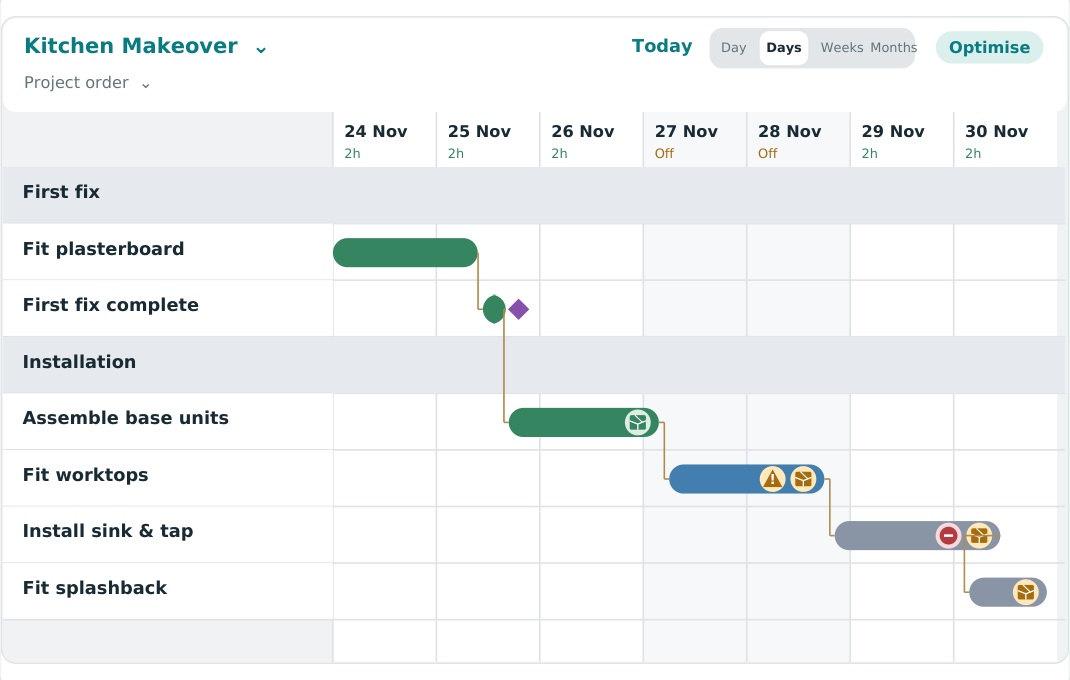
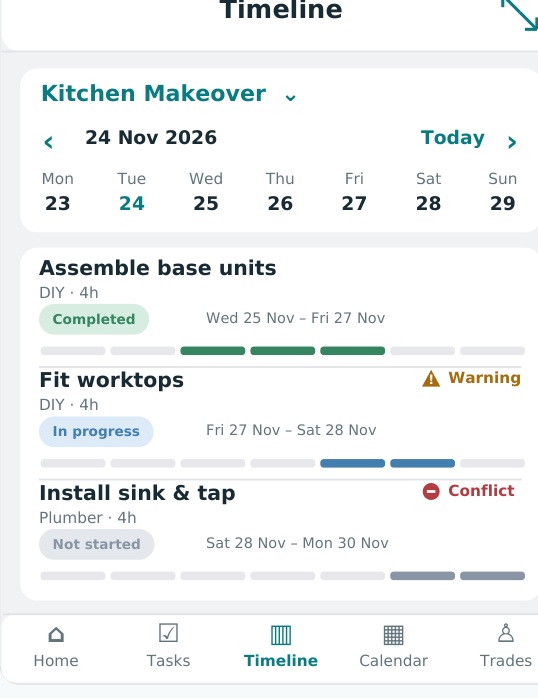
Designed for real projects, without the complexity of professional project management software.
Fit DIY work around evenings, weekends, holidays and your own working hours. Give contractors their own schedules.
Drag tasks on interactive Gantt charts, link dependencies and automatically optimise your plan when things change.
Save contractor contact details and notes, call or email from the app, manage bookings and spot conflicts.
Record what needs ordering and what has been delivered, so you can see what could delay the next task.
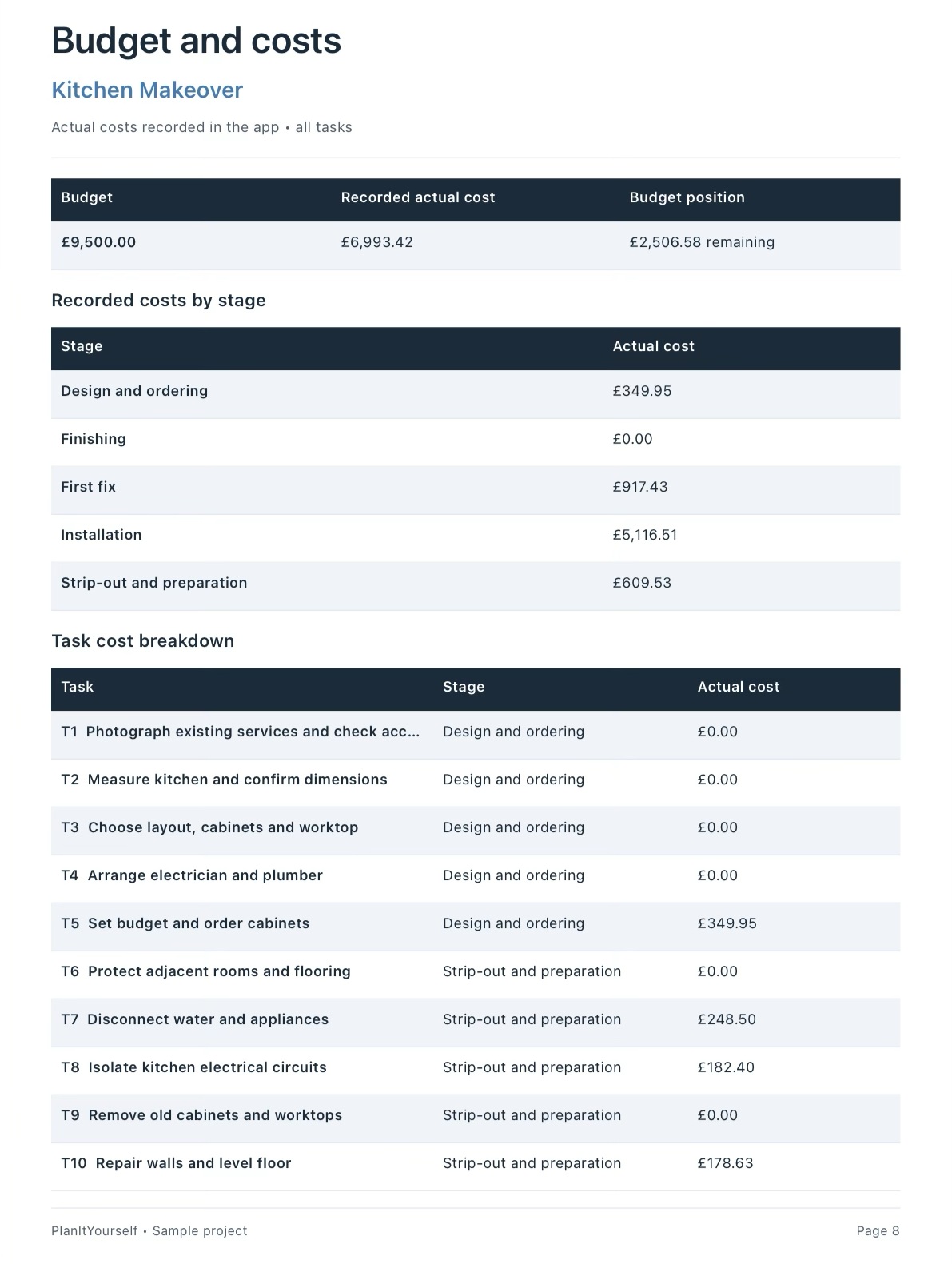
Set project budgets, record actual task costs and monitor spending against budget.
Run projects in parallel, link projects with dependencies and add working-day buffers between them.
See overdue tasks, unconfirmed bookings, material warnings and project dependency issues in one place.
Paste your tasks and stages into Quick Tasks, then build and refine your schedule in the full version.
Automatic local saving, recovery copies and full-version backup and restore tools help you look after your plans. Keep separate backups of important projects.
Export clear, printable PDF reports to share with contractors, family or anyone involved in your project. Choose what to include, preview the PDF and share or print it.
Create a single report or combine sections into a comprehensive project report. Contractor contact details are optional.
Learn about reporting →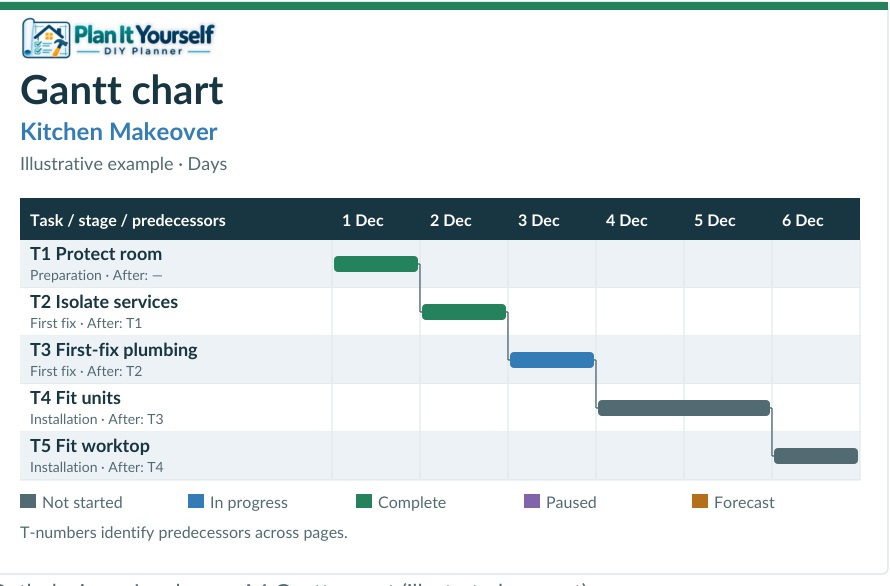
Make over a kitchen, refit a bathroom, refresh a bedroom or plan a whole-home transformation.
Plan planting, landscaping, patios, decking and garden transformations around availability and deliveries.
Organise a full property refurbishment, coordinate trades, track spending and share plans with everyone involved.
Explore three interactive example projects, experiment with dates, dependencies and reports, and reset the examples whenever you like. Unlock the full version with a single purchase when you're ready.
No recurring fees. No subscription.
Homeowners, DIY enthusiasts and property renovators. Use it for a weekend makeover, a garden project or a complete refurbishment, including multiple projects.
No. The planned release will be free to download with three interactive example projects. A single in-app purchase unlocks creating and managing your own projects. The price will be displayed in the App Store and app when available.
Yes. The app has layouts tailored to both devices. Plan in detail on iPad or review tasks and progress on iPhone.
Yes. Create a PDF trade schedule, Gantt chart or a combined project report. You can choose whether to include contractor contact details. Recipients do not need the app.
Project information is saved on your device. iCloud synchronisation is designed to use your own Apple account when available. You control what you share or export.
In the full version, open Global Settings and choose Export full backup. Save a copy somewhere separate from your device, such as a secure folder in Files. Use Restore from backup to recover a saved copy. Export regularly, especially before changing devices or updating the app. Automatic saving and iCloud synchronisation are useful, but do not replace independent backups.
PlanItYourself is a planning and organisation aid. Check dates, costs, dependencies, material deliveries and contractor arrangements independently before relying on them. For more information, see our guidance and app licence.
PlanItYourself is preparing for release on the App Store. This website will be updated with the download link when the app is available.